Account Deletion
Last update: June 18th, 2026
How to delete your account
Account deletion permanently erases your profile, data, and access from a platform. You'll lose all the data and content and you won't be able to use Lumica services. You can delete your Lumica account at any time. If you change your mind, you might not be able to recover it after a certain amount of time.
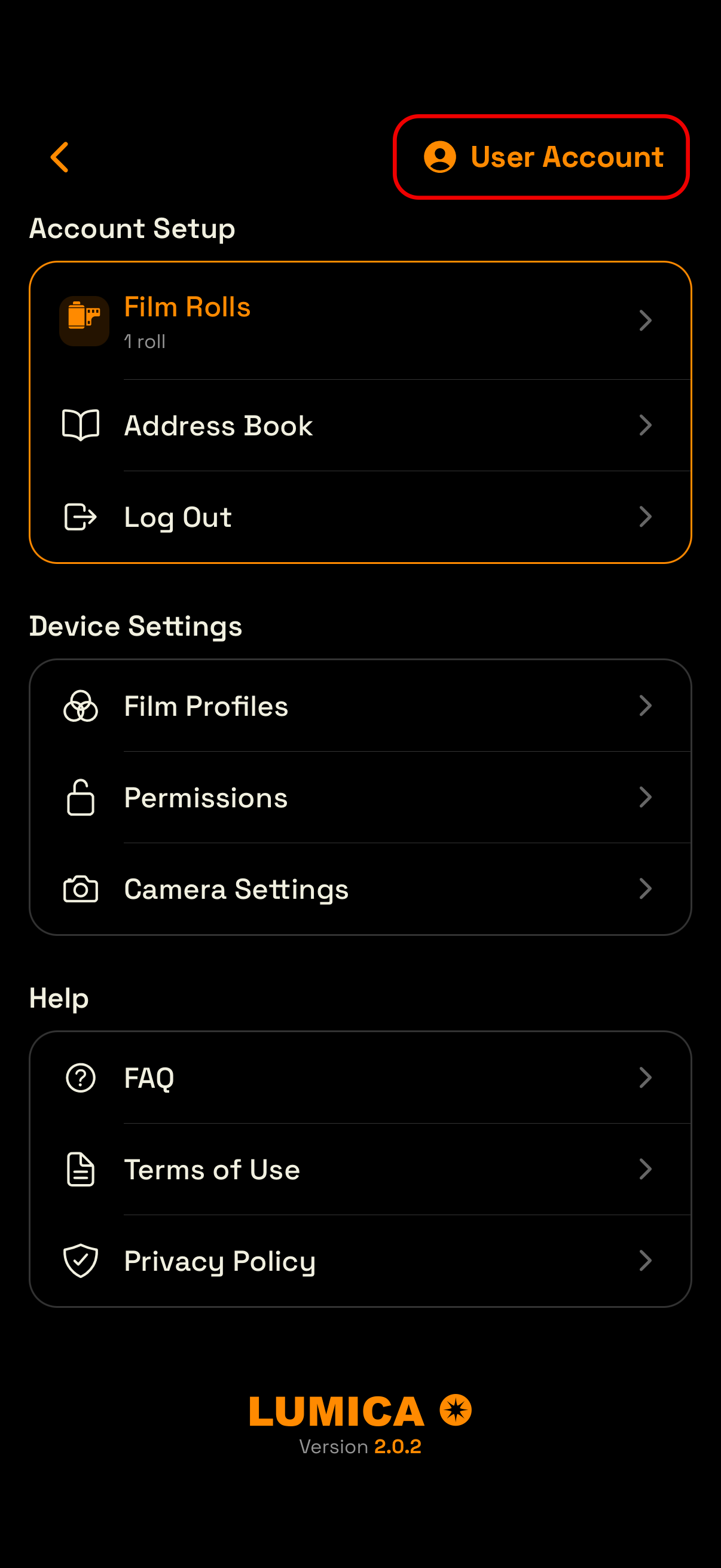
Step 1 — In the Lumica app settings, access to your Lumica account page.
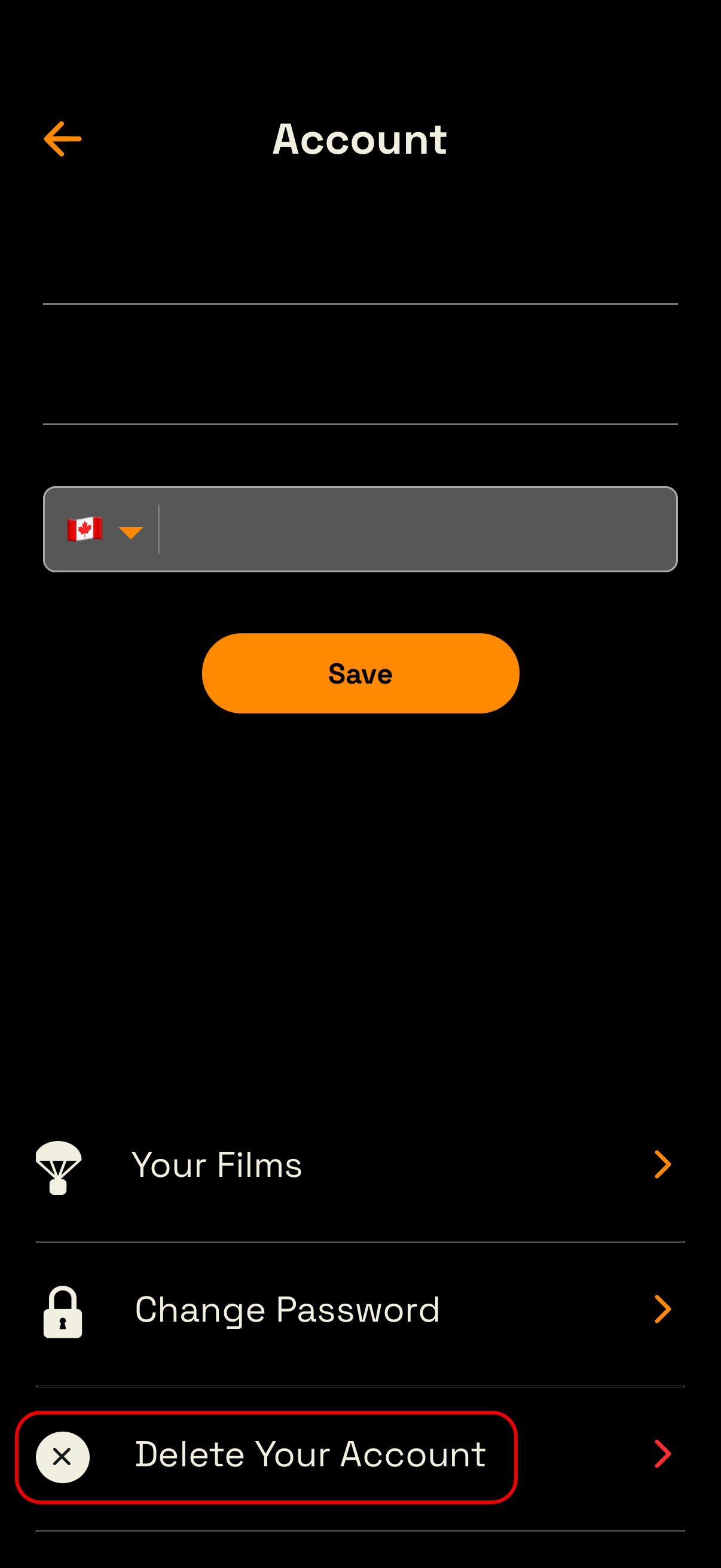
Step 2 — Select “Delete Your Account”
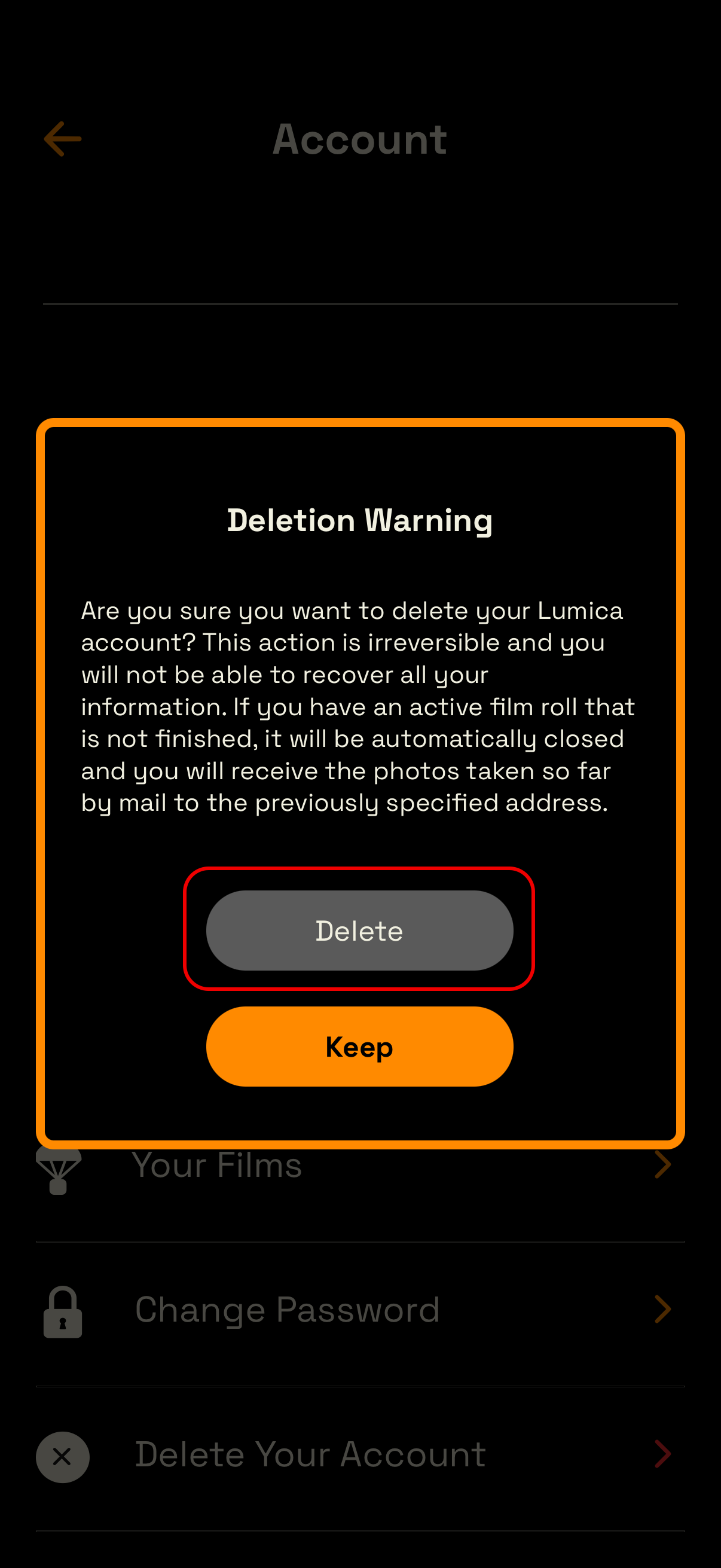
Step 3 — Select “Delete”
See screenshots below.
If you encounter any problem or don’t have access to Lumica app, please contact us at hello@lumica.photo